
Michael Limberger
Need me? Email mike@limberger.ca
AI
Technology stack
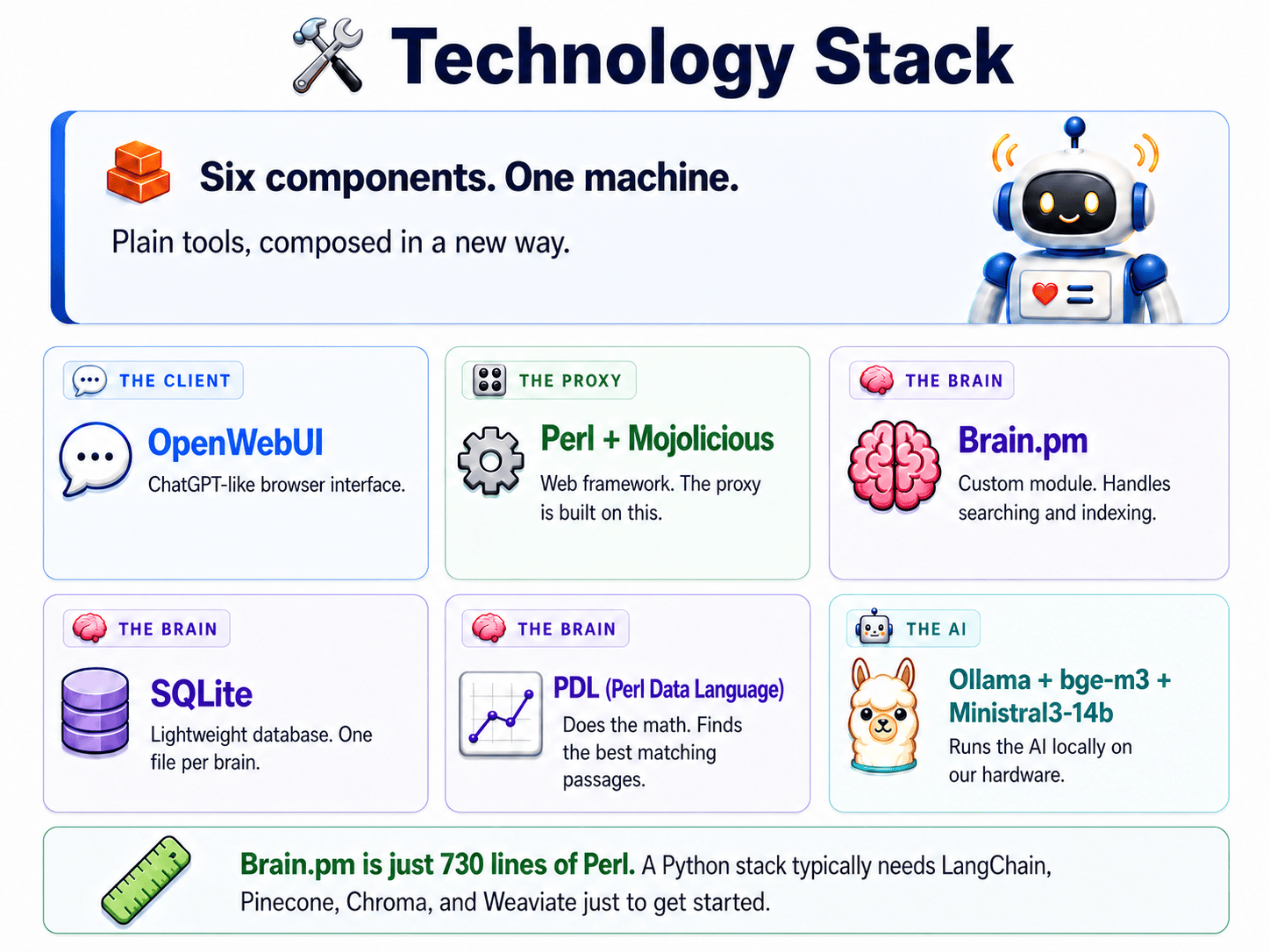
This page is the stack we used for the talk. Models, UI, proxy, and hardware, named plainly so you can map it onto your own machines.
Retrieval means we find the useful pages, put them in the prompt, and generate from that. This stack is the machine that does that locally.
| Component | What it does |
|---|---|
| OpenWebUI | The chat window you see in the browser. |
| Perl + Mojolicious | The web framework the proxy is written in (Mojolicious is to Perl what Flask is to Python). |
| Brain.pm | A single ~870-line Perl file that holds the entire retrieval pipeline (reading files, chunking them, searching them). |
| SQLite | A database that lives in one file (no server, no setup). Holds the text of the documents. |
| PDL | The Perl Data Language, a fast numerical library. Holds the meaning-vectors and does the math at search time. |
| Ollama | The thing that actually runs the AI models on your machine. |
And the two models:
| Model | What it does |
|---|---|
| bge-m3 | The embedding model (turns text into 1,024-number vectors so meanings can be compared). |
| Ministral 3 14B | The chat model (writes the actual answers). |
OpenWebUI
The browser interface, the part the user actually clicks on. Stock open-source, runs in Docker. Part 7 covers it in detail.
Perl and Mojolicious
Mojolicious is a Perl web framework. If you have written Flask in Python or Sinatra in Ruby, the shape is familiar: routes, handlers, request and response.
The proxy itself is about 1,290 lines of Mojolicious code. It handles HTTP, async streaming, request forwarding, and both API protocols (OpenAI-style and Ollama-style).
Brain.pm, the retrieval engine
This is the core. One Perl file, about 870 lines, doing the entire retrieval job.
It reads files off disk, splits them into chunks, turns each chunk into a meaning-vector via the embedding model, stores chunks in SQLite and vectors in PDL, and at query time finds the chunks closest in meaning to the question. Everything part 5 called "Retrieve" lives in here. There is no orchestration framework, no microservice mesh, no message queue. Just a module you can read end to end in an afternoon.
Is 870 lines really enough for a whole RAG engine? For this kind of RAG, yes. Read files, split them, embed them, store them, compute cosine similarity at query time. The algorithm is small. Most of the bulk you see in big RAG frameworks is the integration of optional features, not the core math.
SQLite
SQLite is a database in a single file. You do not run a server. You point your code at the file and you have a database.
Brain.pm uses it to hold the text of each chunk, the source
document, the page or section, and metadata like token
counts. One file per brain. Easy to back up
(cp brain.db brain.db.bak), easy to inspect
(any SQLite browser will open it).
Why SQLite instead of a vector database? At this scale, a vector database is solving a problem you do not have. SQLite holds the text, PDL holds the vectors, cosine similarity runs in milliseconds. A hosted vector DB would add a service, a dependency, and often a cloud round-trip.
PDL, the vector math
PDL (Perl Data Language) is a fast numerical-array library. Think NumPy for Perl, and actually older than NumPy.
It does the part that looks scary on paper but is just arithmetic: take the question's vector, compare it to every chunk's vector, return the closest matches.
The comparison is cosine similarity, a number from -1 to 1 that measures how close two vectors point in the same direction. 1 means same direction (very similar meaning), 0 means unrelated, -1 means opposite. It runs in milliseconds at the sizes we work with. Vectors live on disk as a binary matrix in PDL's native format. Loading them and searching them are both quick.
Ollama
Ollama runs the AI models on your machine. We use it for two things: turning text into vectors (the embedding model) and writing the answers (the chat model).
Under the hood it wraps llama.cpp (the C
library that actually runs the models) and exposes a clean
HTTP API on port 11434. We never touch it directly. We just
hit the API.
Why this stack instead of the usual Python tutorial
A typical Python RAG tutorial reaches for four pieces before it indexes a single document: LangChain (an orchestration framework), Pinecone (a hosted vector database that lives in the cloud), Chroma (a different vector database), Weaviate (yet another one).
Each is its own framework with its own versions, its own config, its own learning curve. Some of them are cloud services, which puts us back to the problem from part 2: your data leaves the building.
The Perl version replaces all four with SQLite (a file), PDL (a library), and Ollama (already running for the chat model anyway). That is it. The whole knowledge base for 94 dental policy documents is under 1 MB on disk. Small enough to email.
The reason this works is not a clever new algorithm. We picked plain off-the-shelf parts and composed them carefully, so the system stays small enough to debug, back up, and explain in one afternoon.
Why Perl, if someone asks
Not nostalgia. Concrete reasons. Text handling: Perl is unusually good at it, and chunking is mostly text work. Mojolicious: a clean async HTTP layer with very few dependencies. PDL: mature, fast vector math without dragging in a scientific-computing mountain. Stability: Perl code from 2005 still runs. The dependency tree changes slowly.
You could rebuild the same architecture in Python (the design is language-agnostic). The result would be heavier, that is all. Perl is the implementation, not the idea. The idea travels. You can even mix: nothing stops a Python proxy from calling Brain.pm via subprocess, or vice versa.
What this design rules out
This stack is right-sized for dozens to low hundreds of documents per brain, with thousands still comfortable. Past tens of thousands of chunks, PDL starts to feel the load, and you would want a proper vector index. At millions of documents, Pinecone or Weaviate earn their keep and the trade-offs flip.
So if you are indexing the whole web, this is not the tool. For one team's policies, manuals, or notes, it fits like a glove. For most knowledge bases, comfortably. For millions of documents you would want different tooling. The honest framing: this is right-sized for the job, not infinitely scalable. Most knowledge bases never grow that big.
What to do next
If you are following along to build your own setup, the next part goes through the extras the proxy gives you on top of basic retrieval. If you have seen enough of the stack and just want the install commands, jump back to part 7.