
Michael Limberger
Need me? Email mike@limberger.ca
AI
OpenWebUI, the 10-minute RAG setup
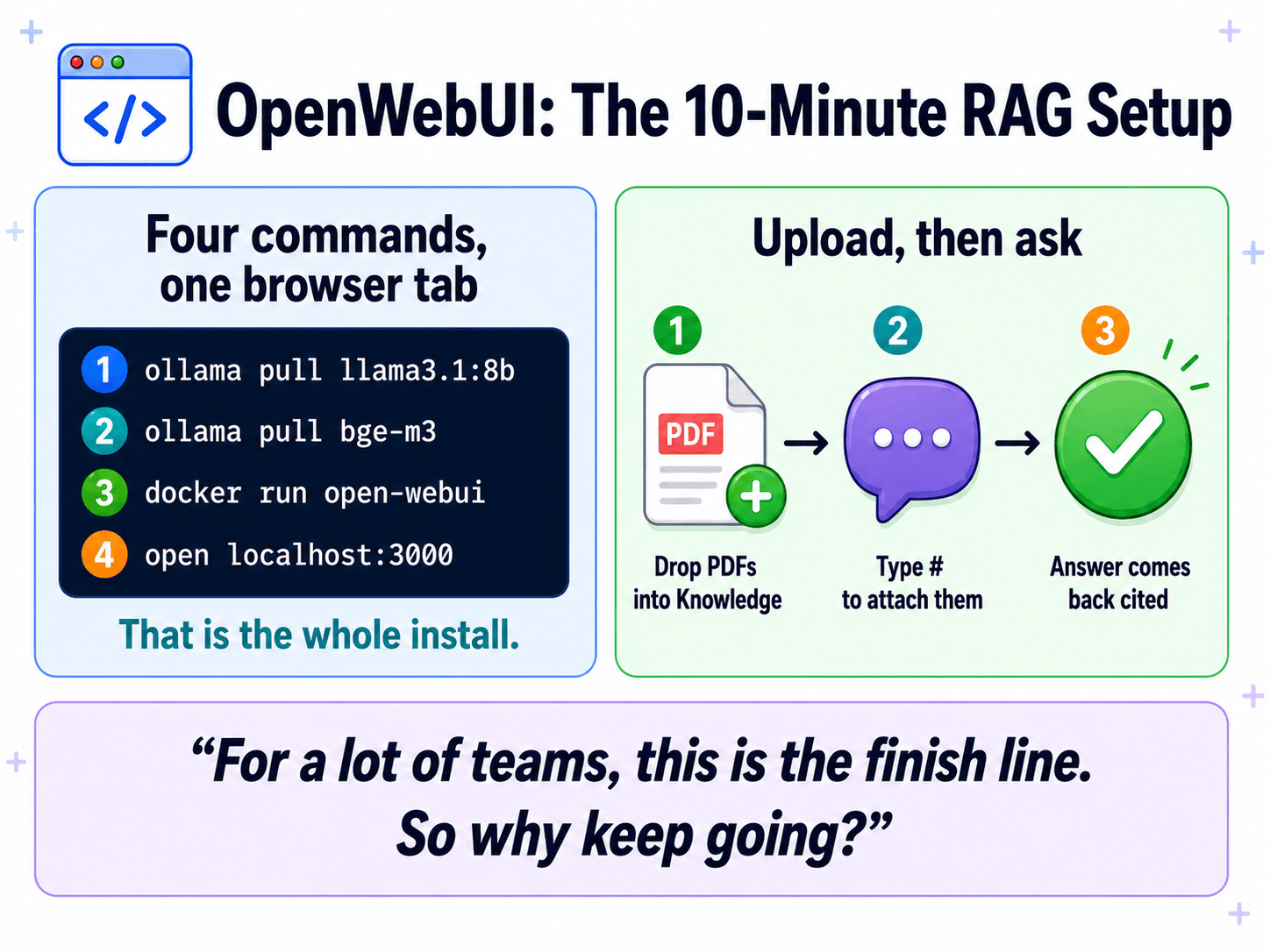
OpenWebUI can get you a local chat window quickly. This page is the short path: enough setup to try retrieval without turning the evening into an install marathon.
Retrieval means we find the useful pages, put them in the prompt, and generate from that. Upload docs to a Knowledge collection,
type # to pick the collection, ask questions,
get cited answers. For a lot of teams this is the finish
line.
Three pieces, one machine
A minimal local RAG setup is three pieces. Name them so you have the map.
| Component | Plain English |
|---|---|
| Ollama | The model runner. Runs language models and embedding models locally on port 11434. |
| OpenWebUI | The chat interface. A ChatGPT-style web UI, runs on port 3000, deployed with one Docker command. |
| Embedding model | A small model that turns text into meaning-vectors so documents can be searched. Pulled through Ollama. |
That is it. Three things, one machine, no cloud.
Show me: install Ollama
curl -fsSL https://ollama.com/install.sh | sh
This installs the Ollama service and starts it listening on
127.0.0.1:11434. Verify it is up:
curl http://localhost:11434/api/tagsIf you get JSON back (even an empty list), Ollama is alive.
Show me: pull a chat model and an embedder
# Chat model, the thing that writes answers
ollama pull llama3.1:8b

# Embedding model, the thing that makes documents searchable
ollama pull bge-m3
An embedding model is a small neural network whose only job is to turn a chunk of text into a list of numbers (a vector) that captures meaning. Two chunks with similar meaning get similar vectors. That is what makes search-by-meaning possible.
bge-m3 is the recommended choice: multilingual,
handles long inputs, does hybrid search, and is the same
model the RAG Proxy uses. nomic-embed-text is
a lighter alternative if memory is tight.
Why bge-m3 and not the default? The default is built to run anywhere, including a Raspberry Pi, so it is tiny and English-only and truncates at 256 tokens. On real documents the quality difference is obvious. Part 8 has the detail.
Show me: run OpenWebUI in Docker
docker run -d -p 3000:8080 \
  --add-host=host.docker.internal:host-gateway \
  -v open-webui:/app/backend/data \
  --name open-webui --restart always \
  ghcr.io/open-webui/open-webui:main
Then open http://localhost:3000 and create the admin account.
The flags, decoded. -p 3000:8080 means
OpenWebUI is reachable on port 3000 on your machine.
-v open-webui:/app/backend/data is a persistent
volume: without this you lose everything on restart.
--add-host=host.docker.internal:host-gateway
lets the container reach Ollama on the host. Needed on
Linux, harmless on Mac and Windows.
Create the admin account on the welcome screen. You are in. You can run OpenWebUI from source without Docker, but the Docker route is the supported one and the docs assume it. If you have Docker, use Docker.
Can OpenWebUI use a model that is not in Ollama? Yes. It also speaks the OpenAI API, so it can talk to anything that does. Hold that thought. It is exactly how the RAG Proxy plugs in two parts from now.
Point it at the embedder first
Once OpenWebUI is running, point it at your embedding model first, then load docs. Skip this and your retrieval will be visibly worse than it needs to be. Part 8 explains why.
- Click your avatar (bottom-left)
- Admin Panel → Settings → Documents
- Set Embedding Model Engine to Ollama
- Set the model to
bge-m3 - Save
The out-of-box default is a tiny English-only model that truncates at 256 tokens. Replace it before doing anything else.
A Knowledge collection, then ask
- Workspace → Knowledge → Create a Knowledge Base
- Name it (something like "Faculty Policies")
- Upload PDFs, Markdown, or text files
- Wait for the green check on each file. That means it has been chunked and embedded.
In any chat:
- Type
# - Pick your collection from the dropdown
- Ask a question
The answer comes back with citation footnotes you can click
to see the exact chunk that was retrieved. That
# → ask → cited-answer loop is the "Normal RAG"
experience in the flesh.
What each Documents panel does
OpenWebUI's Admin Panel → Settings → Documents is where the RAG pipeline gets configured. About thirty knobs. The good news: when you are going to put a RAG Proxy in front, you do not need to tune any of these because the proxy handles RAG upstream. The settings page becomes irrelevant.
It is still worth knowing what each panel does, because the same stages exist inside the proxy too. The proxy just has its own knobs for the same jobs.
The pipeline goes: extract text from your files, chop the text into chunks, turn each chunk into a meaning-vector via the embedding model, at query time find the matching chunks, hand them to the chat model. Each panel on the Documents page corresponds to one stage.
Content Extraction is stage one: get text out of PDFs, markdown, plain text. Default works for clean files. Tika or Docling are needed only for messy scanned PDFs.
Text Splitter is stage two: chop the extracted text into chunks small enough for retrieval, big enough to carry meaning. Token-based splitting plus a header-aware splitter together means chunks that break at logical boundaries.
Embedding is stage three: turn each chunk into a vector that captures meaning. The embedding model is the engine. Use a local one through Ollama. Never reach for the cloud here.
Retrieval is stage four: at query time, find the matching chunks. Hybrid search (meaning plus keyword) catches both paraphrased questions and exact-term lookups.
Files is upload limits and allowed extensions. Integration and Danger Zone: stay out unless you know what you are doing. The Reset buttons wipe data.
For the actual recommended values when you are running OpenWebUI on its own (without the proxy), see the RAG settings tables on With RAG Proxy, under "What the proxy saves you from configuring." Those tables show what you would otherwise be tuning, and what the proxy absorbs.
Things that bite during a live demo
If you are going to do this in front of an audience, these are the failure modes that catch everyone.
Set the embedding model before the demo. The default
(all-MiniLM-L6-v2) gives mediocre retrieval and
undercuts your own baseline. You will be standing in front
of people wondering why the answers are weird, and the
answer will be "I forgot to change the embedder."
Ollama's default context is 2048 tokens.
Even a 128,000-token-capable model gets served at 2048
unless you override it. Pull five chunks of context and the
model may not see them all. Set num_ctx higher
in the chat settings. 8192 is a safe number for most use
cases.
Pin a version in production. Use
ghcr.io/open-webui/open-webui:v0.9.5 instead of
:main. OpenWebUI ships fast, defaults change
between releases, and an overnight update can quietly change
retrieval behavior under you. Test the exact version you
will present on. Whatever you set up two weeks ago may not
behave the same way today if the image has been pulled
fresh.
For a lot of teams, this is the finish line
So why keep going?
Read it as a real question, not rhetorical filler. It genuinely is the finish line for many teams. The argument for going further, and the four failure modes that justify it, is the next part.
Is this the same as what runs at the Faculty? OpenWebUI is the chat interface, yes. The difference is what sits behind it. At the Faculty, the RAG does not run inside OpenWebUI. It runs in the proxy. That is the whole back half of this night.
What hardware do you need? A modern laptop with 16 GB of RAM is enough to run a small model (3B to 8B parameters). For the 14B model the RAG Proxy uses, 32 GB is more comfortable. None of this needs a GPU, though one helps. Apple Silicon (M1, M2, M3) does this exceptionally well because the unified memory makes RAM the only ceiling.
Four commands and a container
Local RAG is four commands and a Docker container. The barrier to entry collapsed a couple years ago. What is left is engineering taste, not infrastructure availability.